.jpg?w=800&h=800&q=80)
.jpg?w=800&h=800&q=80)
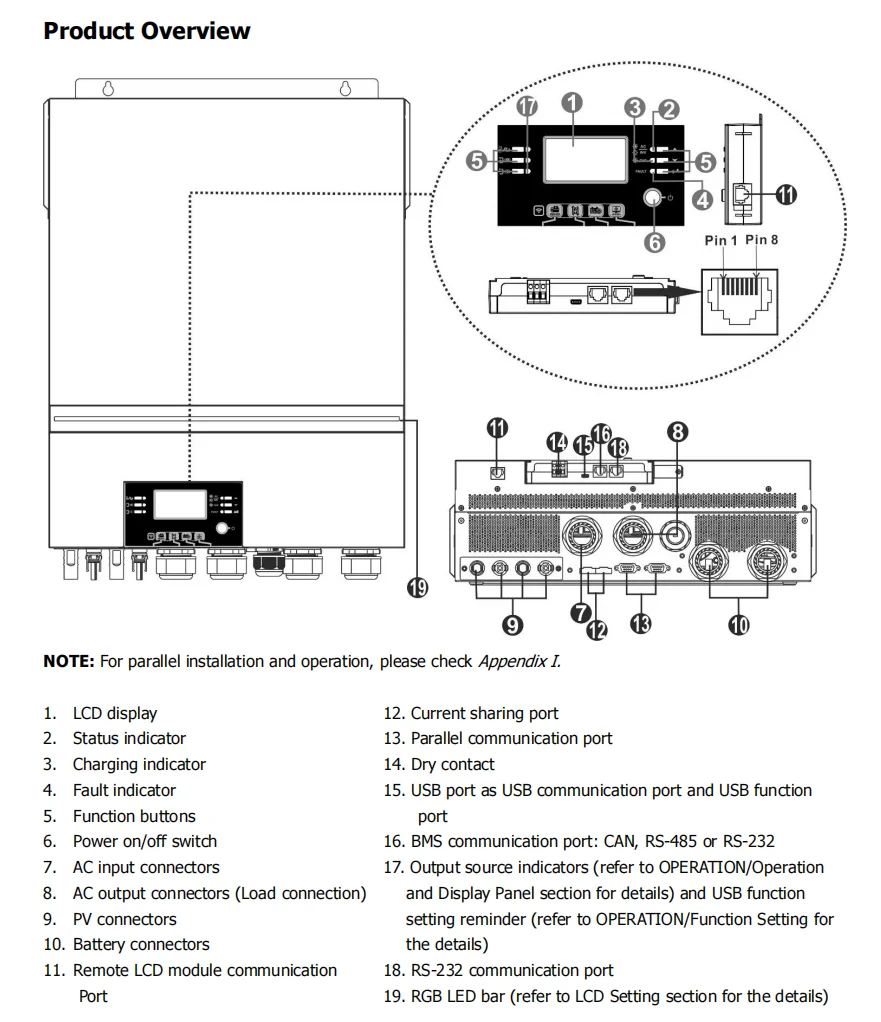
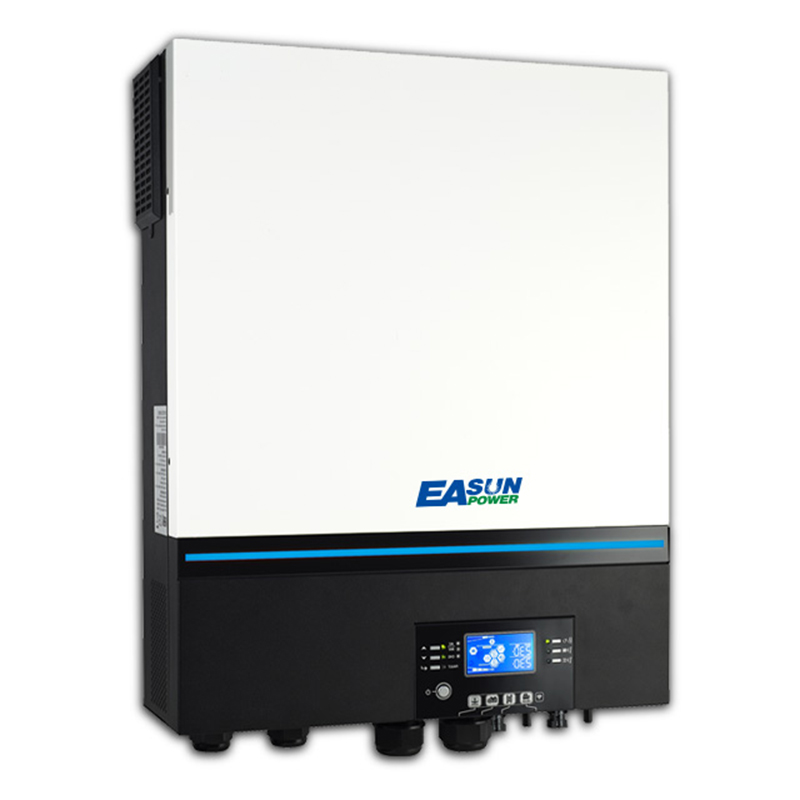
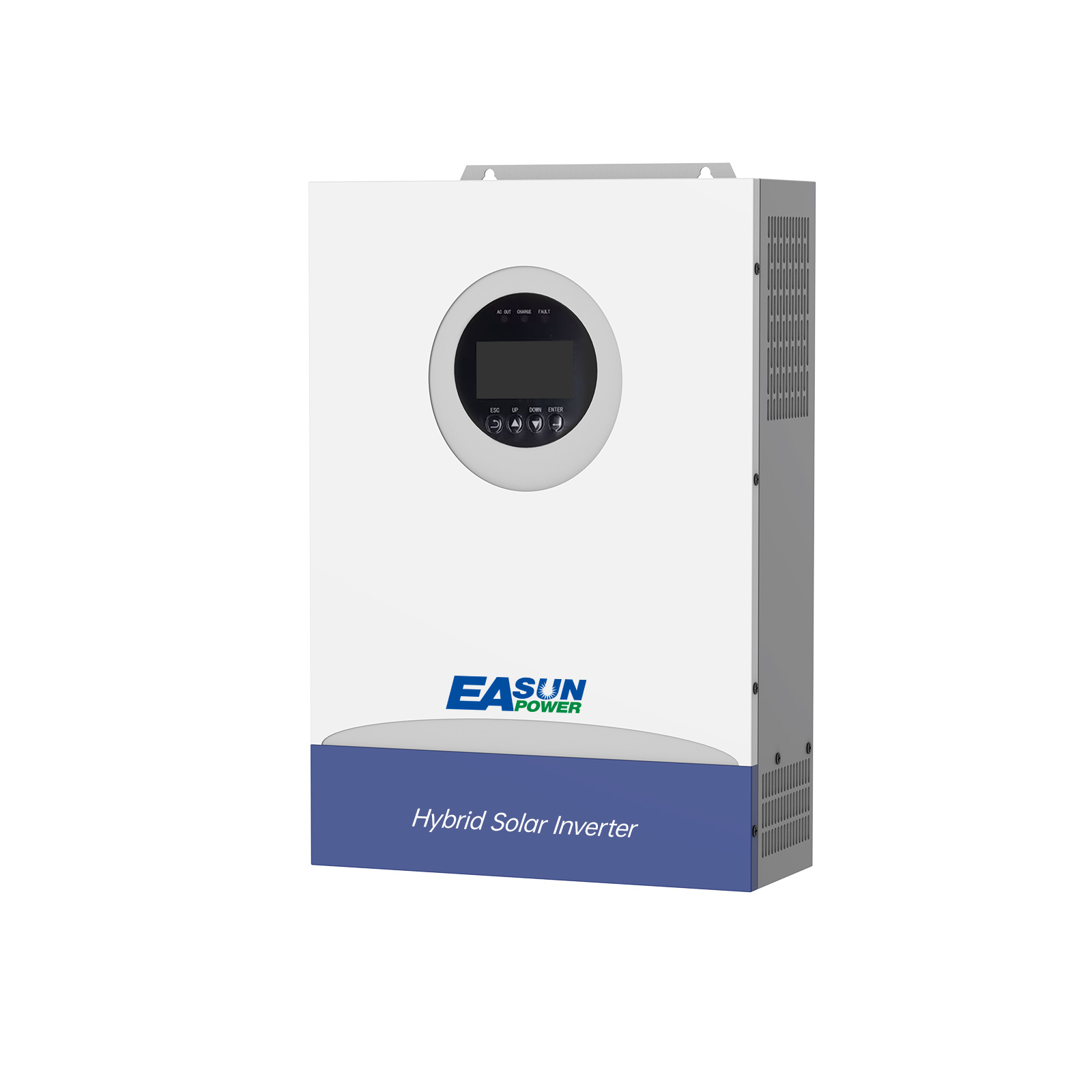
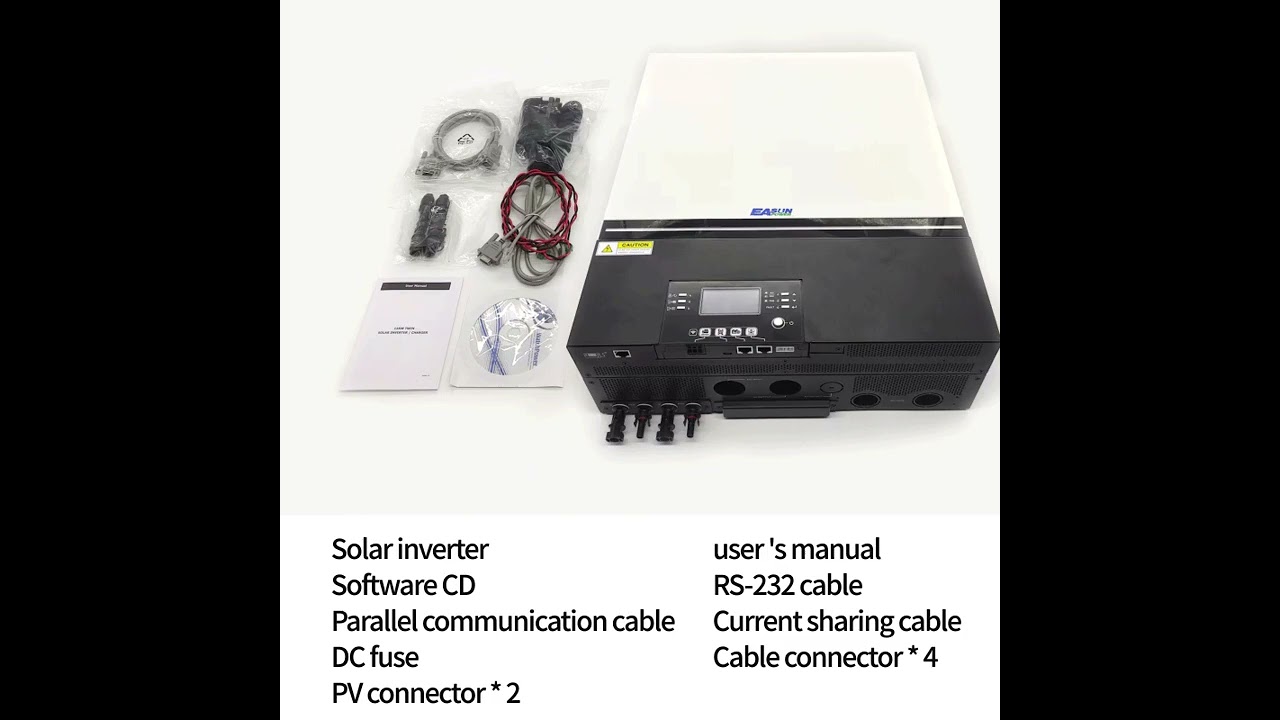
Easun 11KW Off Grid Inverter 150A Double MPPT Input Parallel 3 Phase
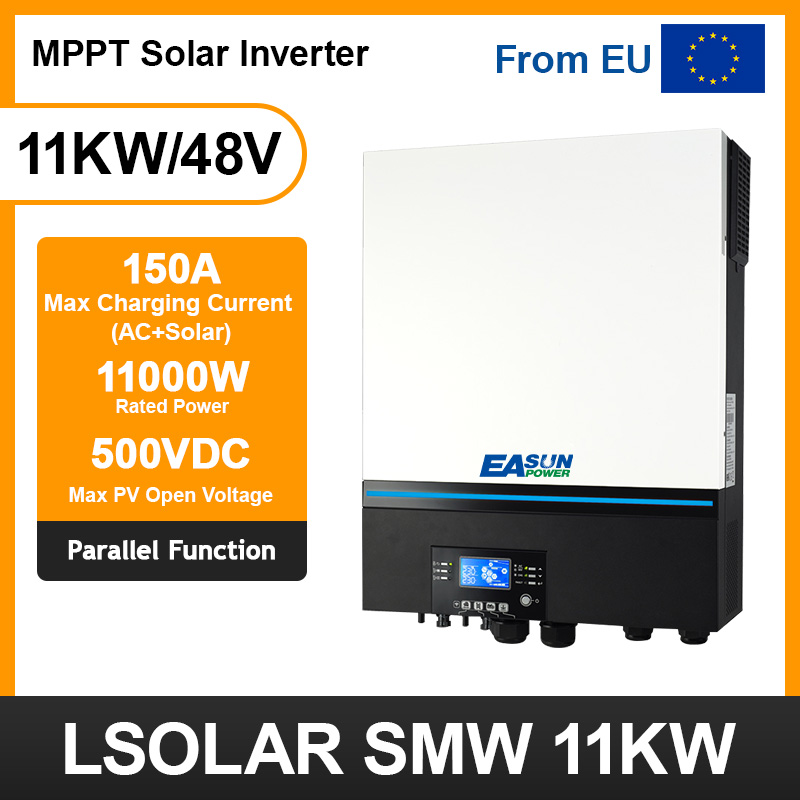
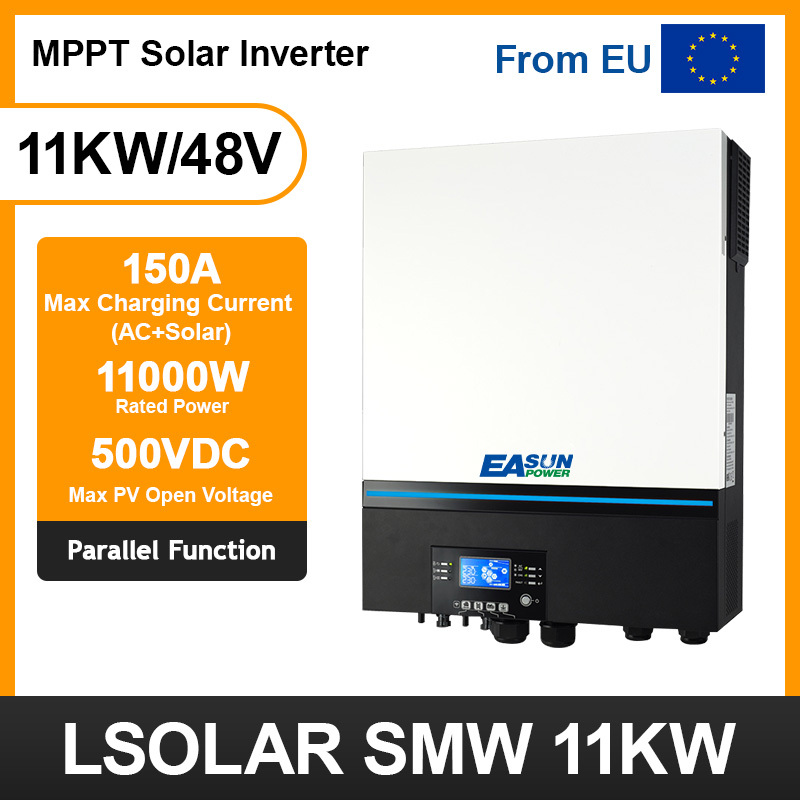
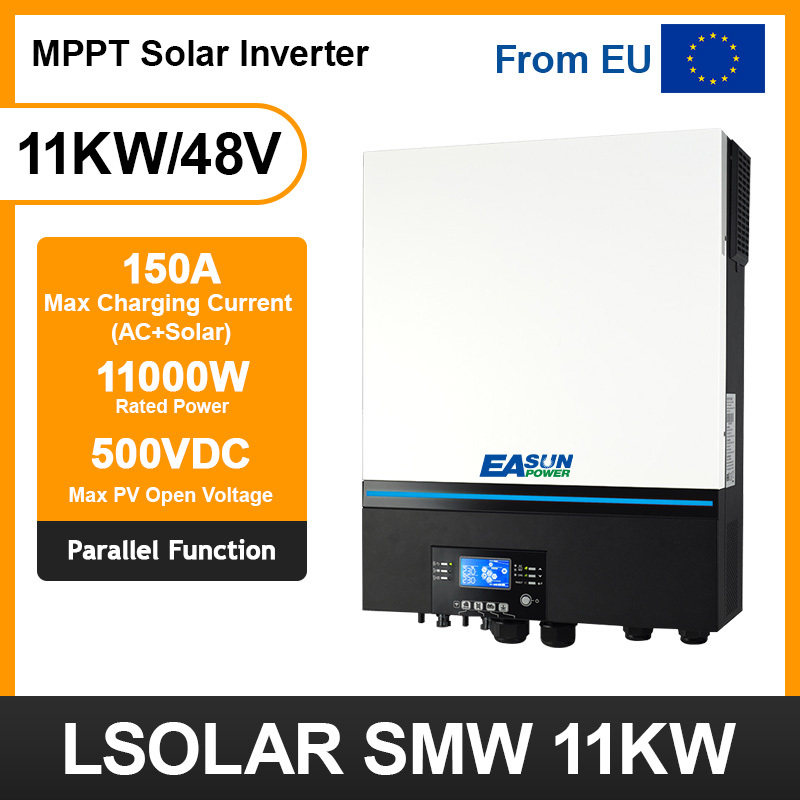
【High Power Output】EASUN’s premium inverter with 11KW pure sine wave output, ideal for high-power appliances and commercial use.
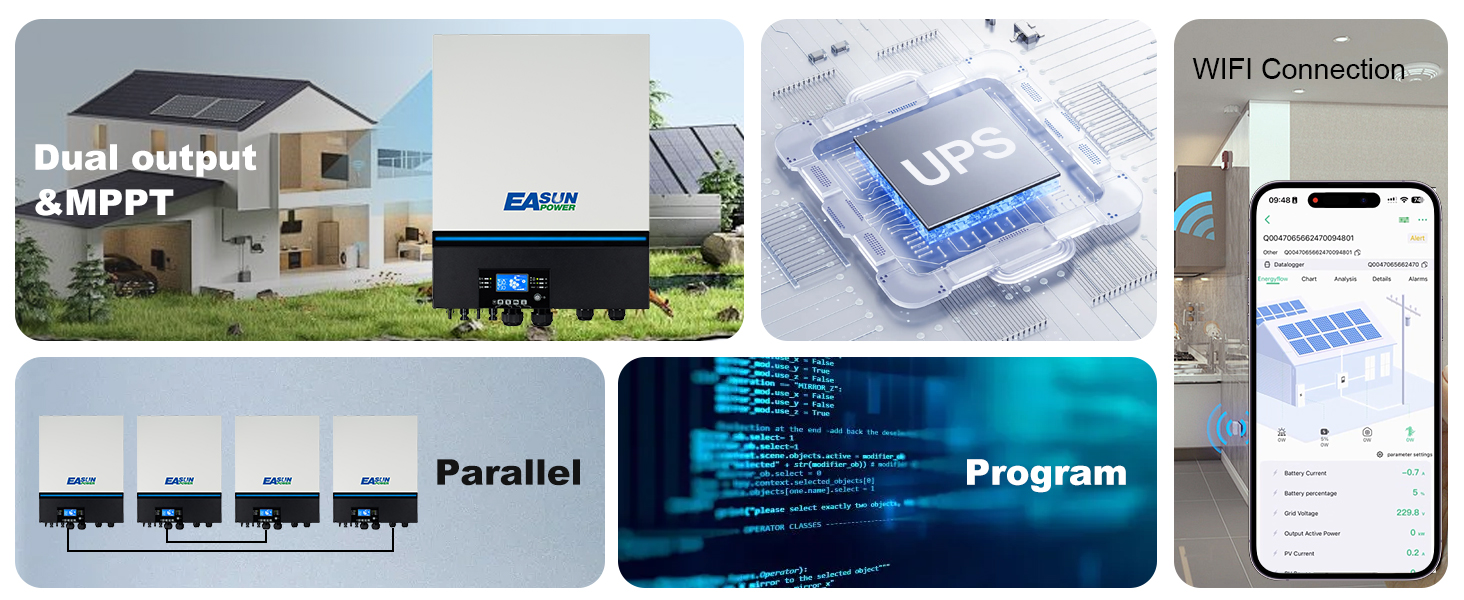
【Dual MPPT Solar Inputs】Supports up to 11,000W PV input with two independent MPPTs for high solar efficiency.
【Flexible Power Input】Supports multiple energy sources: solar, grid, and battery.Wide PV voltage range – up to 500V per input
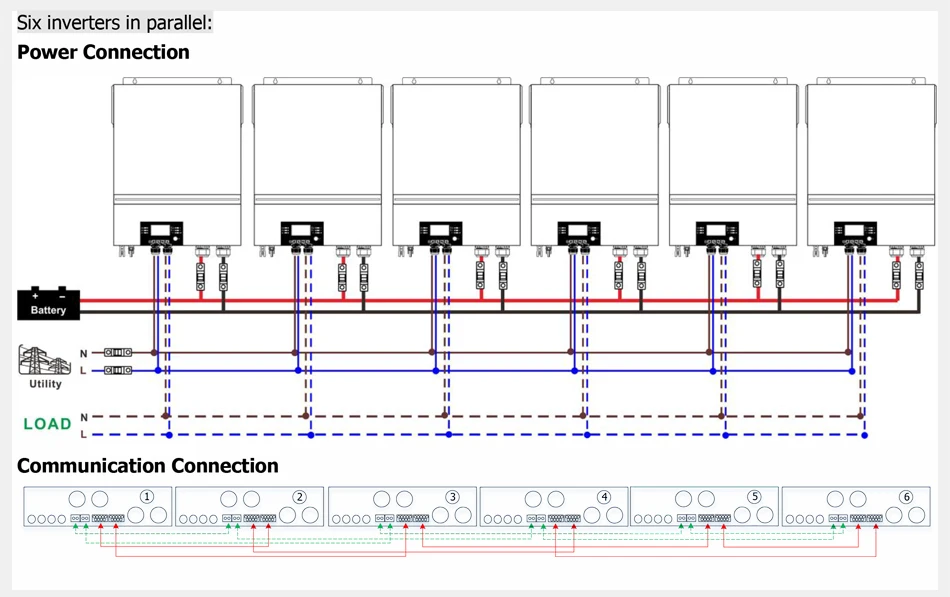
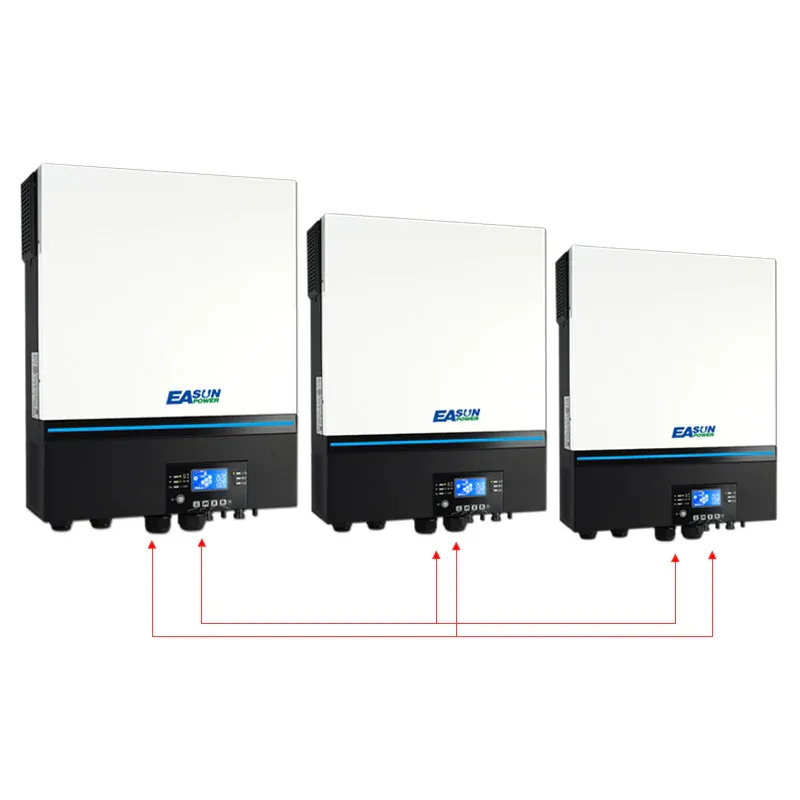
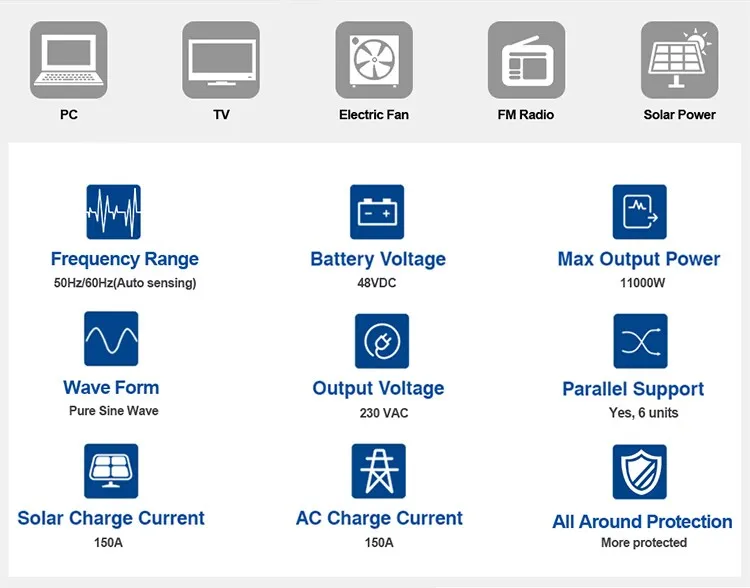
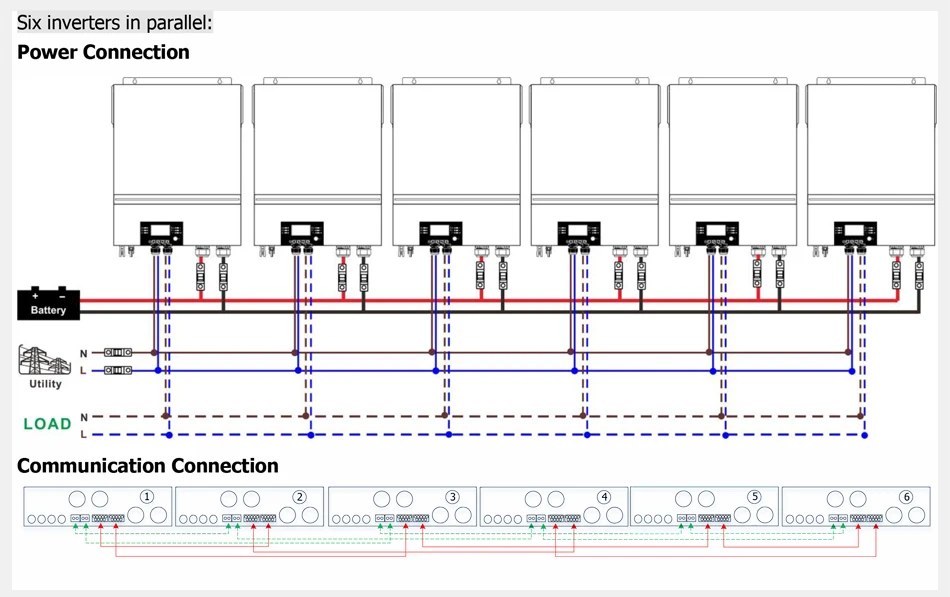
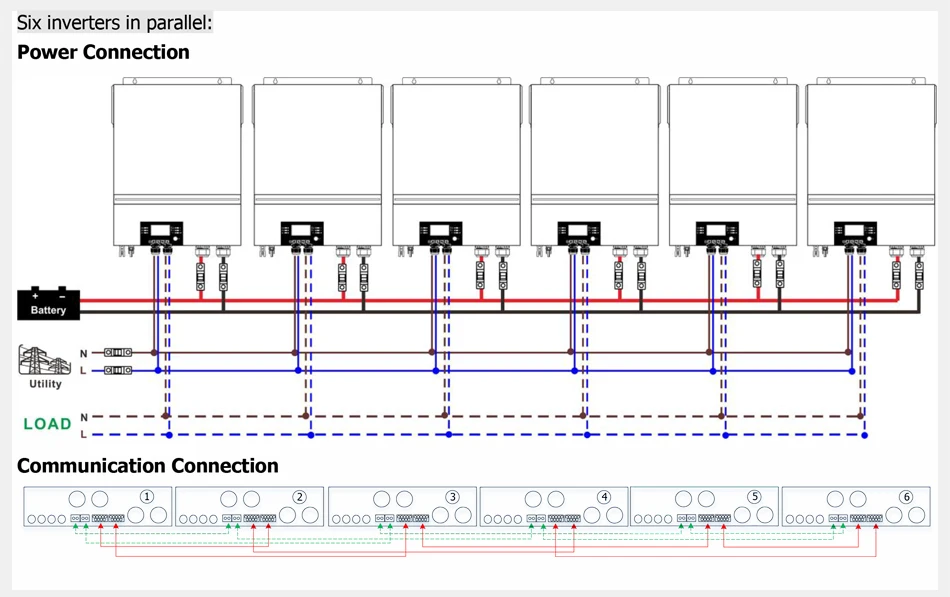
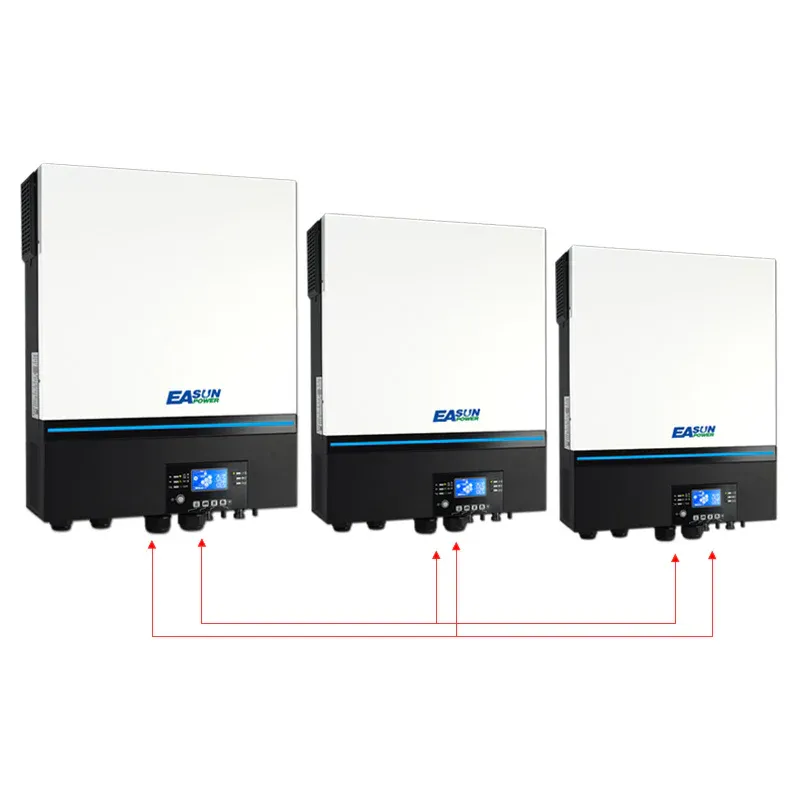
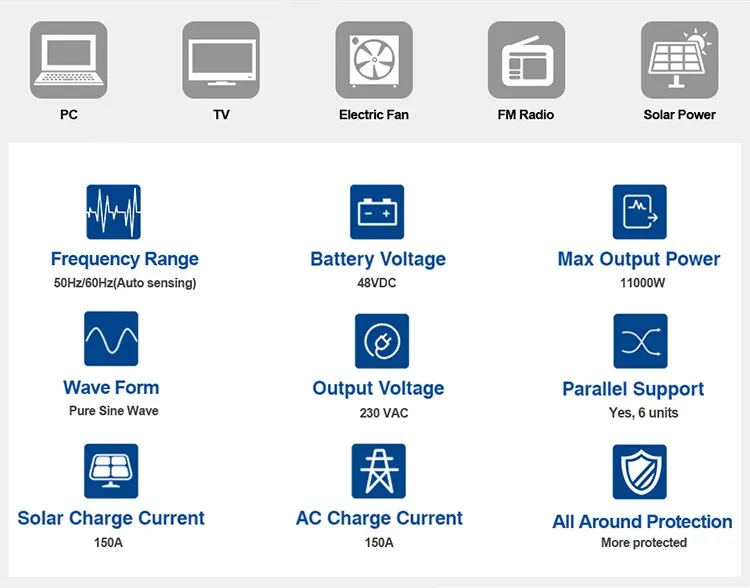
【Parallel Operation Supported】Up to 6 EASUN inverters can be paralleled for single-phase or 3-phase systems.
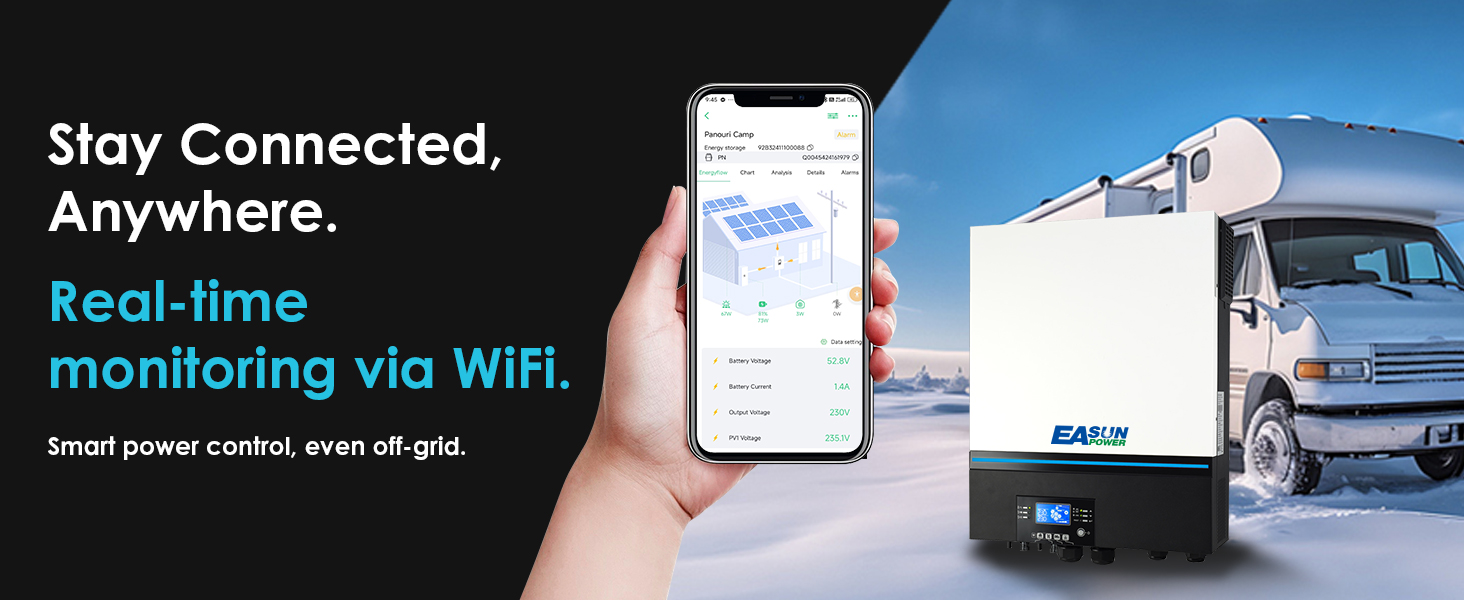
【Smart Monitoring】Built-in WiFi + app support. Easily monitor your EASUN inverter anytime via mobile.
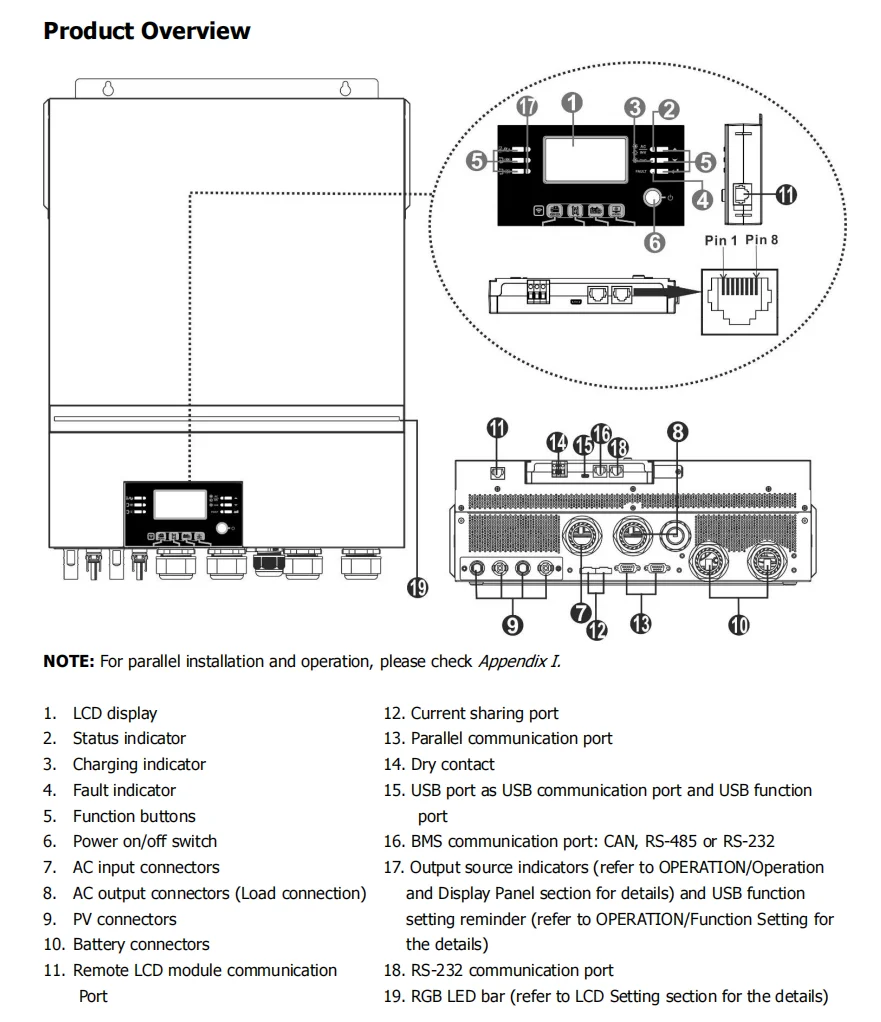
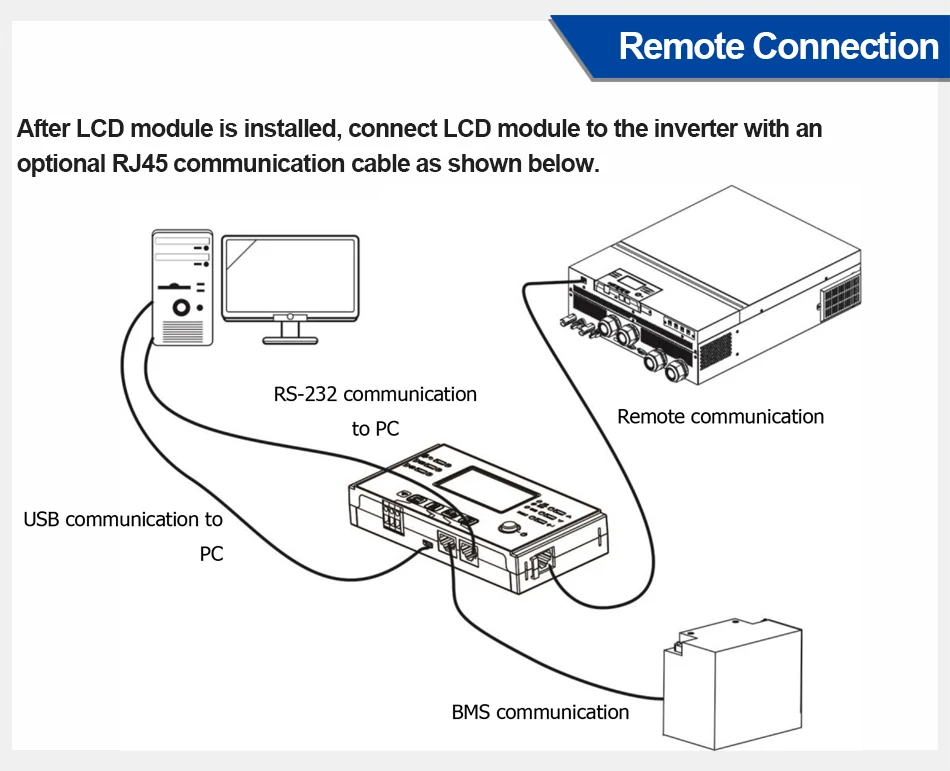
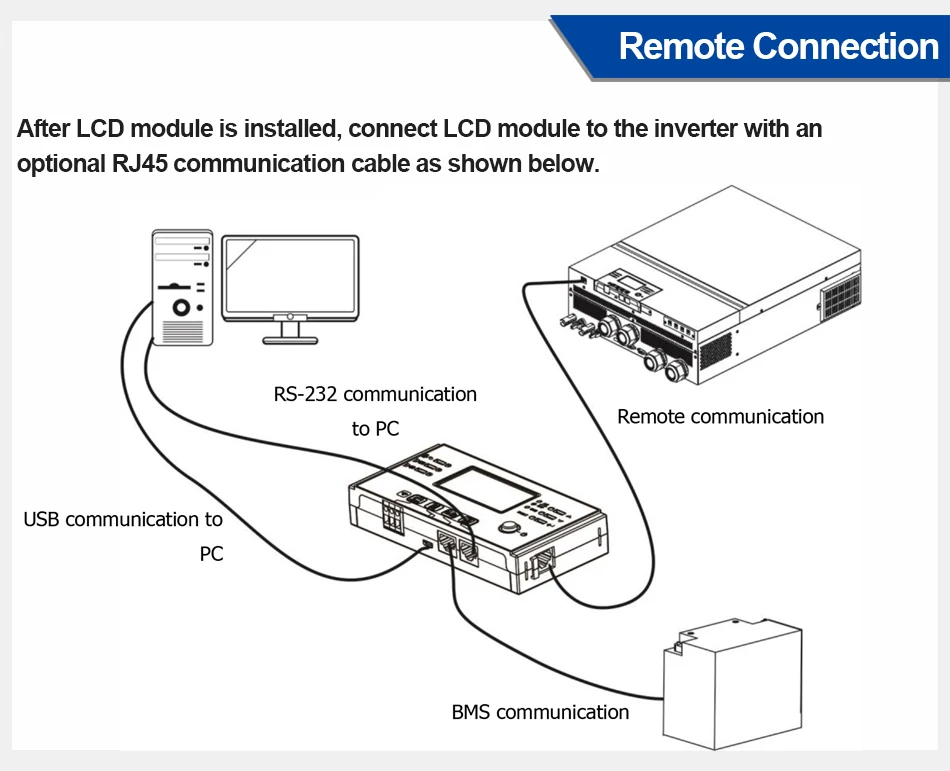
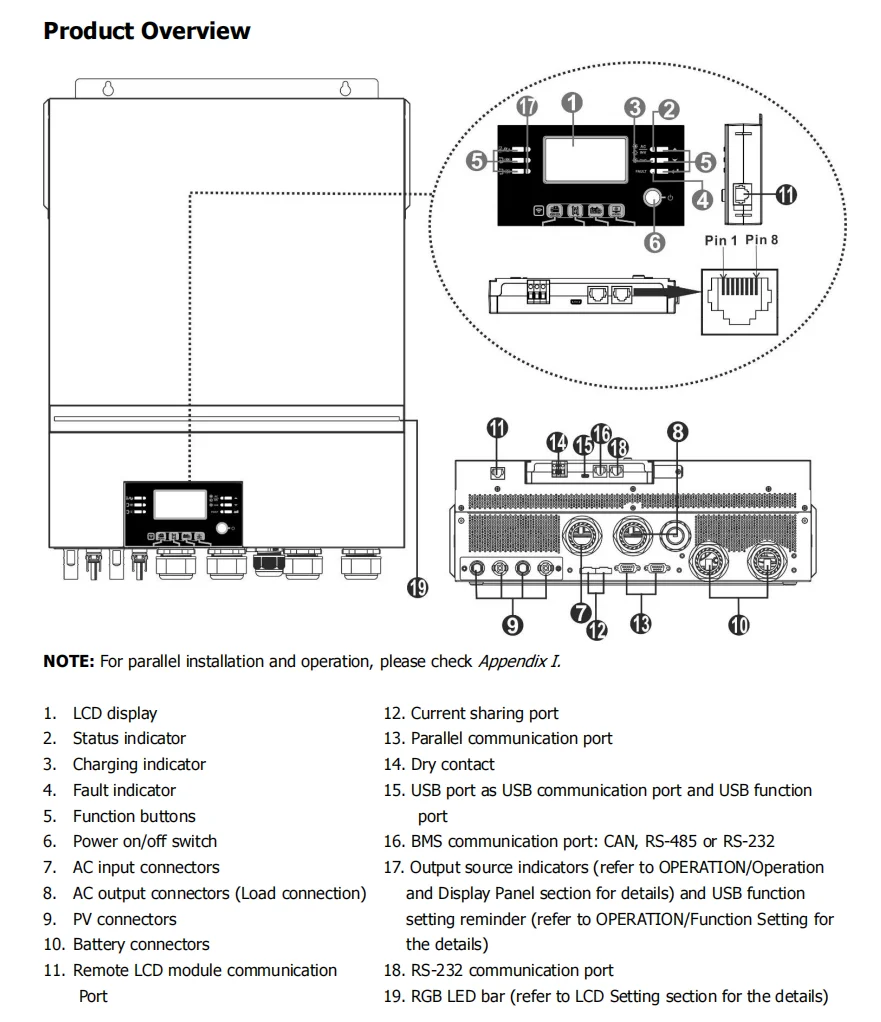
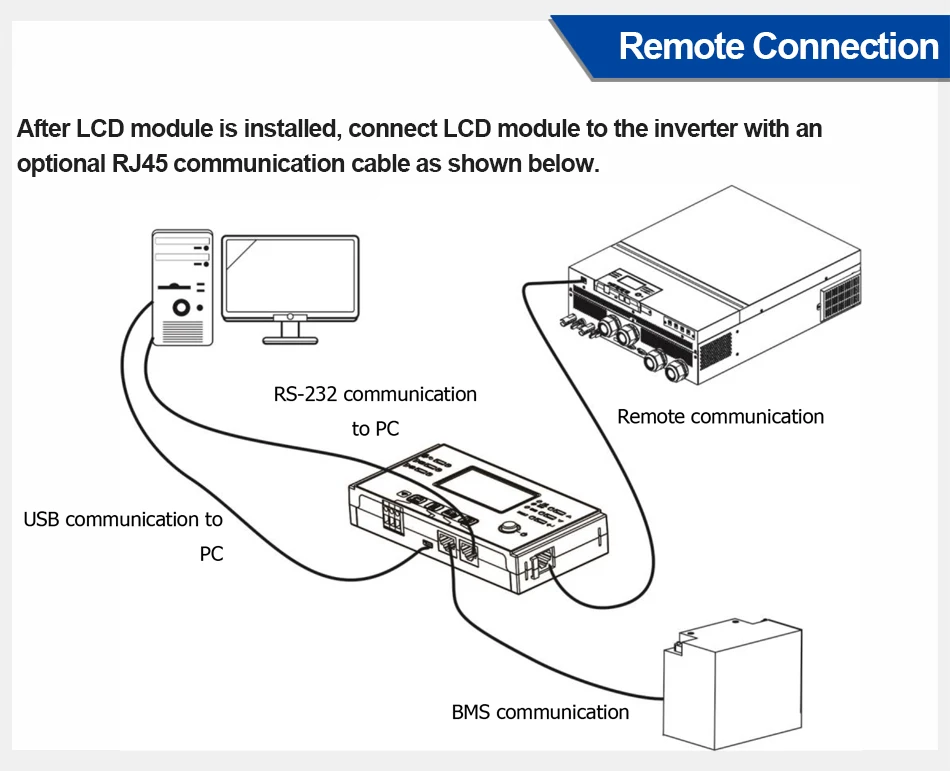
【Battery Flexibility】Compatible with lead-acid and lithium batteries, supports BMS (CAN/RS485/RS232) communication.
【Dual AC Output (L1/L2)】Two output channels for separate load control and energy scheduling.
【All-round Protection】EASUN quality includes overload, short circuit, over/under voltage, and over-temperature protections.

Description
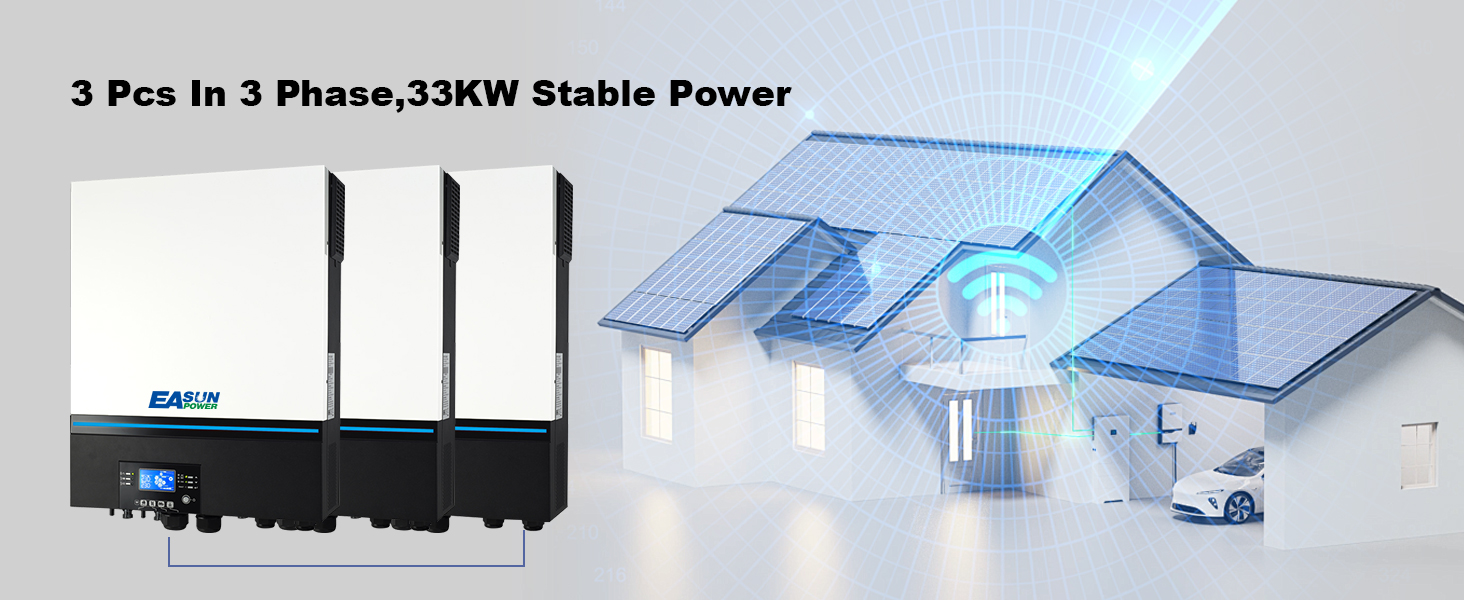
Parallel Ready & 3-Phase Upgrade
Supports multiple units in parallel, enabling scalable power expansion
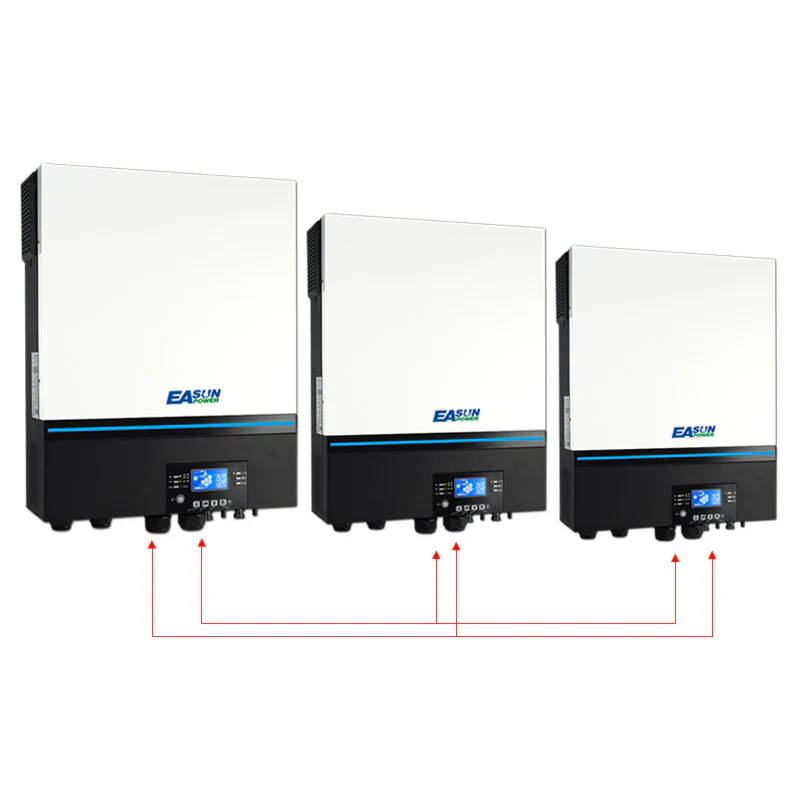
3 units can form a 3-phase system, ideal for industrial or high-demand residential loads
Modular design simplifies system upgrades and maintenance
Meets various needs from single-unit setups to complete energy systems
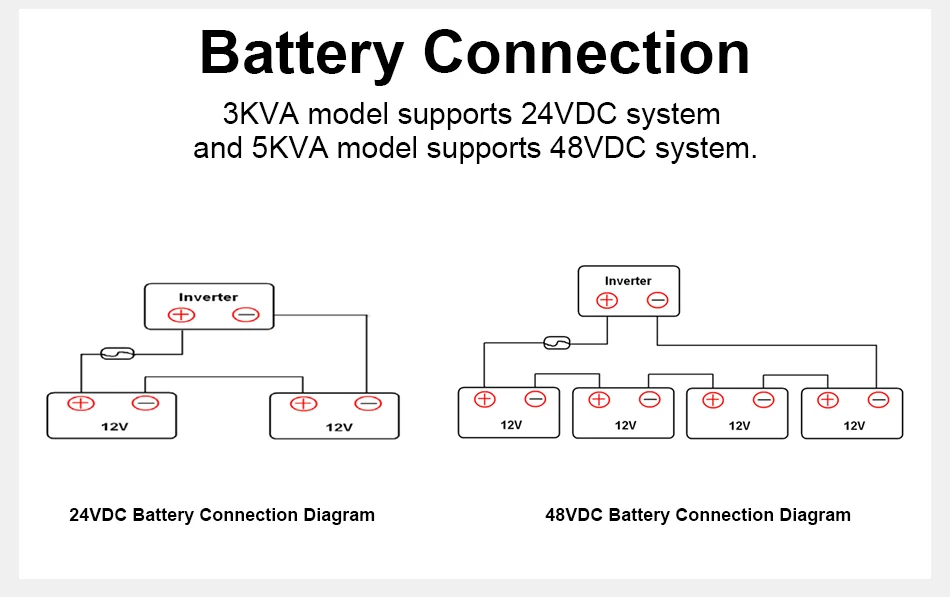
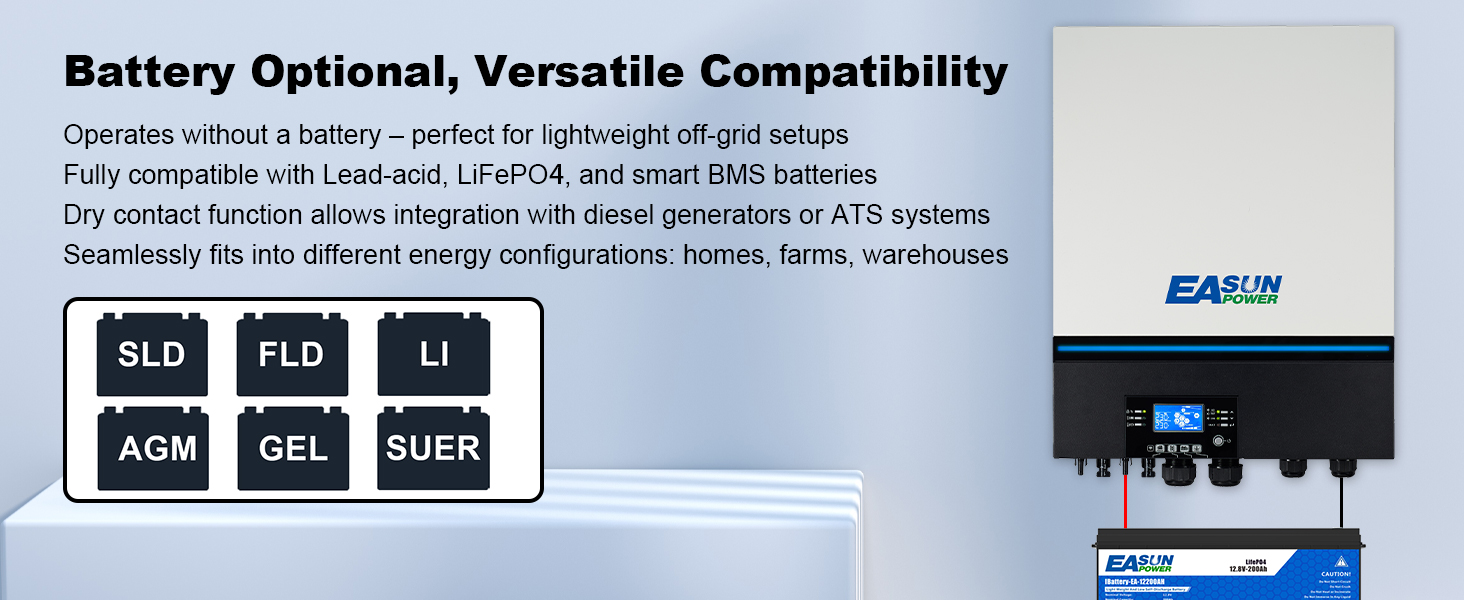
Battery Optional, Versatile Compatibility
Operates without a battery – perfect for lightweight off-grid setups
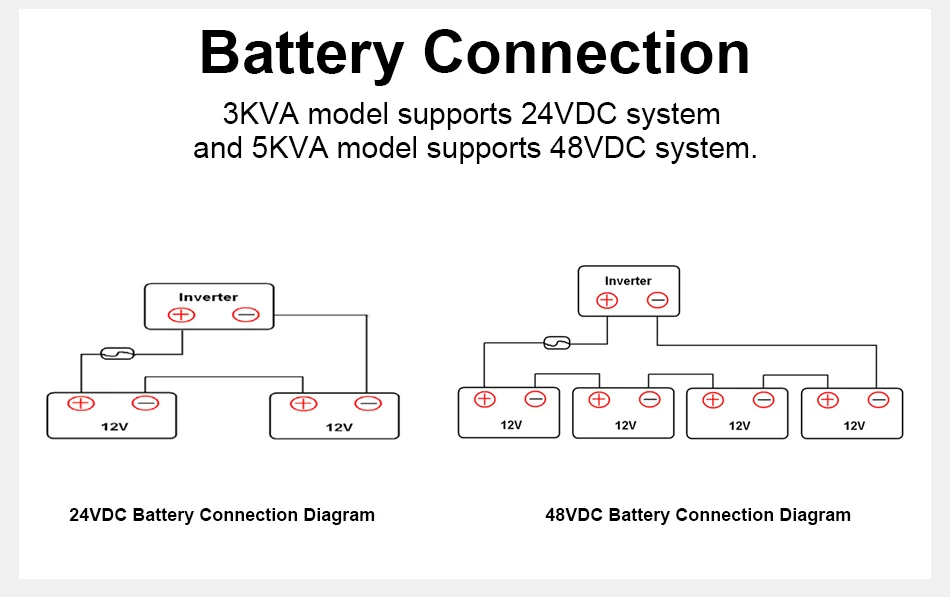
Fully compatible with Lead-acid, LiFePO₄, and smart BMS batteries
Dry contact function allows integration with diesel generators or ATS systems
Seamlessly fits into different energy configurations: homes, farms, warehouses
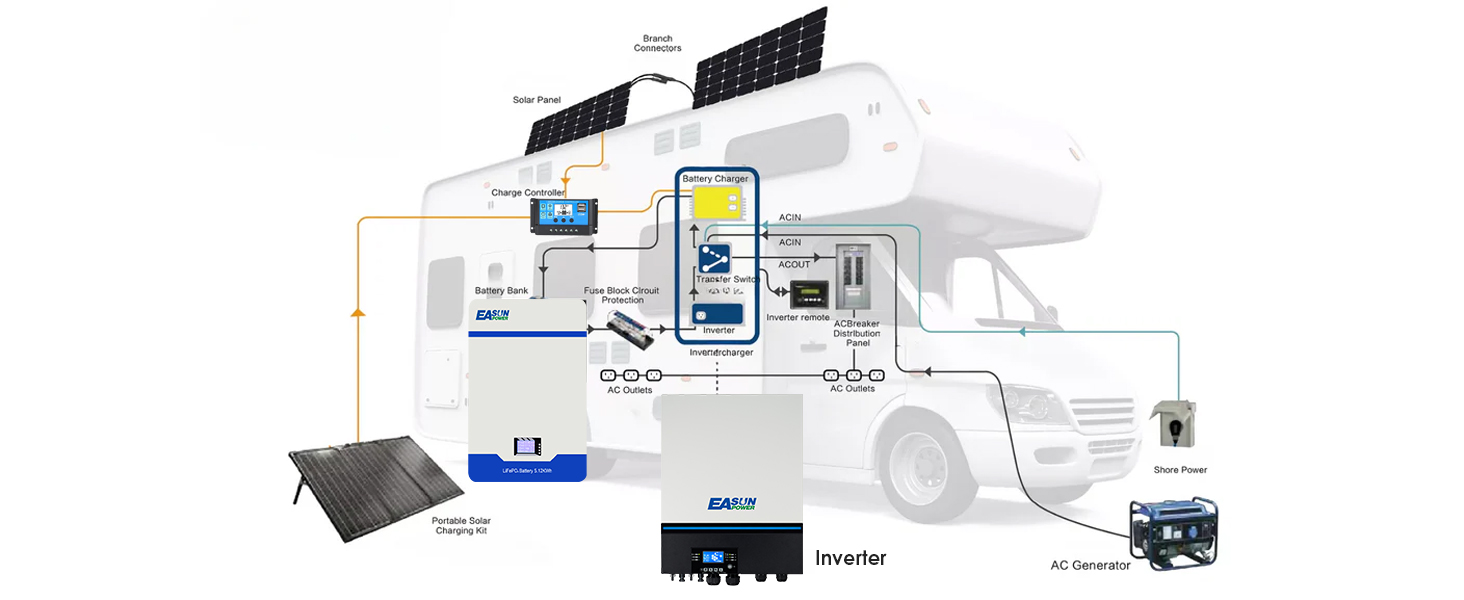
Flexible Deployment & Hybrid Compatibility
Integrates easily with solar, generator, or grid power for hybrid systems
Supports multiple output priority modes: UTL / SOL / SUB / SBU
Easy to expand and maintain, designed for long-term stable operation

Smart Monitoring & Dual Output Control
Dual MPPT inputs maximize solar harvesting efficiency
Built-in programmable dual output ports for separating critical and general loads
WiFi & RS485 communication for app and PC remote management
Intuitive LCD + PC software with multilingual interface support
FAQ
1. How do I configure BMS communication with lithium batteries?
EASUN SMW 11KW supports RS485 communication with a variety of BMS systems such as Pylontech, JK, Jikong, and Daly.
Pylontech BMS: Select battery type “Li2” in the inverter menu and set BMS to “PylonRS485”.
Daly BMS: Some users report success using “Li4” and setting Daly BMS to "Growatt" protocol.
JK BMS: It is recommended to use “Li2” and ensure correct wiring.
Note: Wiring methods may vary depending on the BMS brand. Please refer to the connection diagrams or consult technical support.
Click to check how to connect to Easun Battery
⚡ 2. How do I know If this inverter is compatible with my solar panels ?
According to the inverter's specification table, the solar input current is 18A × 2, which means each MPPT can handle a maximum of 18A.
The optimal voltage range for the MPPT is 380–430V, and it should not exceed 450V.Meantime ,keep each MPPT power is under 5500W.
Based on this information, when you review the specifications of your solar panels, you should ensure that—whether connected in series or parallel—the total voltage or current connected to each MPPT input does not exceed these limits.
☀️ 3. What is the minimum PV voltage required to start the inverter?
The MPPT controller requires at least 120VDC PV input to start, but a recommended input of 250VDC or higher is suggested to ensure stable power output under load.
🛠️ 4. How can I fix the issue of the LCD screen flickering?
Some users have reported flickering on the inverter's display.
A common solution is to connect an X2-class capacitor in parallel between PV+ and PV- to stabilize voltage fluctuations.
⚠️ This operation requires electrical knowledge. Please consult a professional.
🔄 5. Does the inverter support parallel operation?
Yes, SMW 11KW works in parallel ,if you get 3 pcs of it ,you can set them in 3-phase .
📶 6. How does the WiFi monitoring work?
The inverter has a built-in WiFi module and can be monitored via a mobile app.
Download the recommended monitoring app and follow the instructions in the user manual.
Note: Data updates from the WiFi module may occur at 5-minute intervals.
🔋 7. Can the inverter run without a battery?
Yes, EASUN SMW 11KW supports batteryless operation.
In this mode, the inverter uses PV input directly to power loads. However, it is recommended to carefully evaluate power stability and load demands when designing your system.
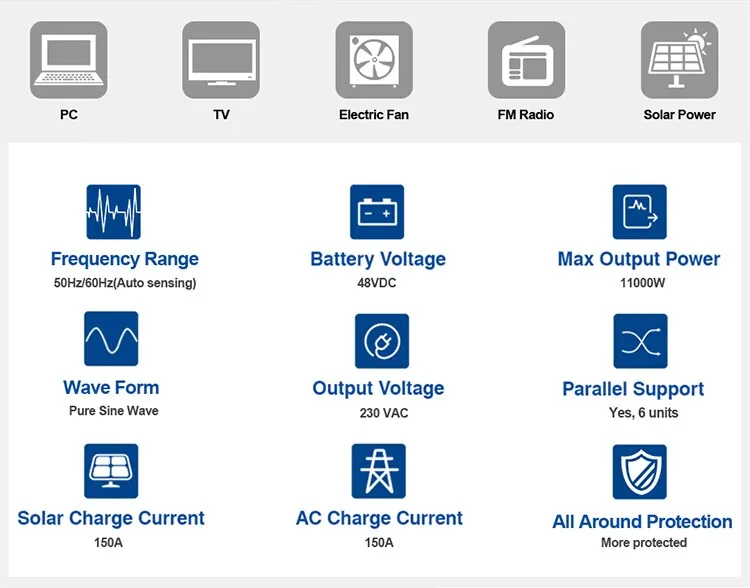
| Parameter | Value |
|---|---|
| MODEL | SMW 11KW |
| Capacity | 11KVA / 11KW |
| Maximum PV Input Power | 11KW |
| Parallel Capability | NO |
| Lithium Battery Activation | YES (By PV or Utility) |
| Lithium Battery Communication | YES (RS485) |
| Nominal Voltage | 230VAC |
| Acceptable Voltage Range | 170-280VAC (PC); 90-280VAC (Home) |
| Frequency | 50/60 Hz (Auto sensing) |
| Nominal Output Voltage | 220/230/240VAC |
| Surge Power | 22000VA |
| Waveform | Pure Sine Wave |
| Transfer Time | 10ms (PC); 20ms (Home) |
| Peak Efficiency | 94% |
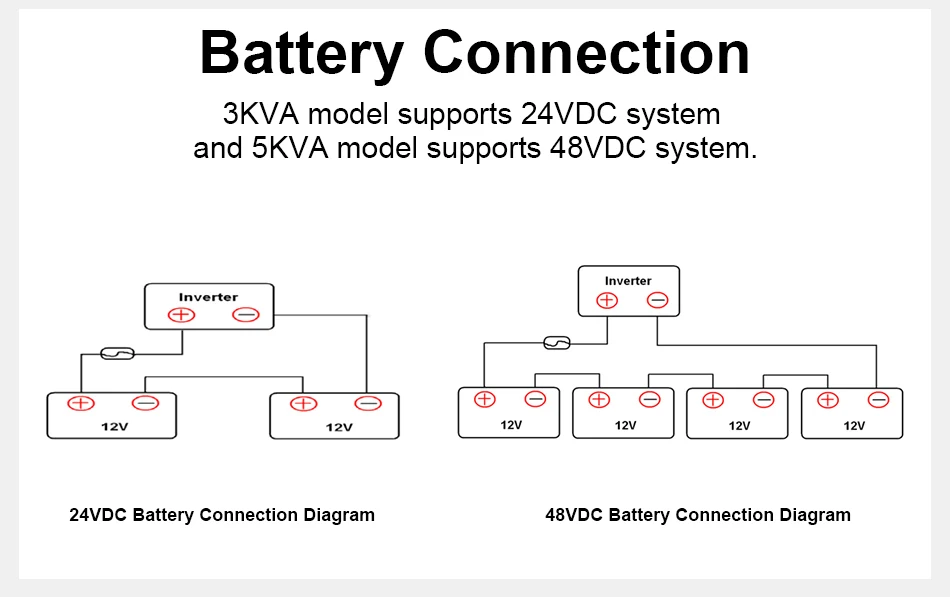
| Battery Voltage | 48VDC |
| Max Discharge Current | 220A |
| Floating Charge Voltage | 54VDC |
| OverCharge Protection | 63VDC |
| Charging Method | CC / CV |
| Solar Charger Type | MPPT |
| Max PV Array Power | 5500W × 2 |
| PV Array Open Circuit Voltage | 500VDC |
| PV MPPT Voltage Range | 60–450VDC |
| Max Solar Input Current | 18A × 2 |
| Max Solar Charge Current | 150A |
| Max AC Charge Current | 150A |
| Max Charge Current | 150A |
| Dimensions (mm) | 554 × 433 × 148 |
| Net Weight (Kg) | 18.4 |
| Communication | RS232 / RS485 / Dry Contact |
| Operating Temp | -10°C to 55°C |
| Storage Temp | -15°C to 60°C |
| Humidity | 5% to 95% RH (Non-condensing) |
📥 Downloads
Download the full user manual & installation guide:
📘 Check User Manual of SMW 11KW (PDF)
_1445x.jpg?w=800&h=800&q=80)
_1445x.jpg?w=800&h=800&q=80)
_1800x.jpg?w=800&h=800&q=80)
_1800x.jpg?w=800&h=800&q=80)